
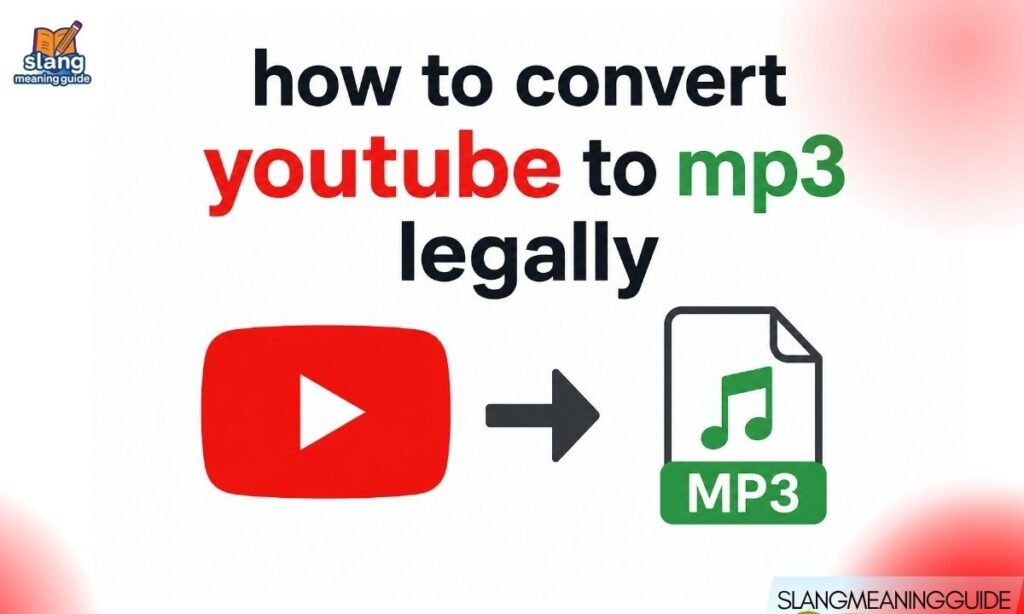
Most “YouTube to MP3” guides skip the one thing that actually matters — whether what you are doing is legal. A single download can violate copyright law, expose your device to malware, and get your YouTube account suspended. This guide gives you only the methods that actually hold up legally, with clear warnings about everything else.
The Honest Answer First
Here is what most guides refuse to say upfront. Converting a YouTube video to MP3 is illegal in most cases. It violates YouTube’s Terms of Service and copyright law unless you meet specific exceptions.
Legal exceptions that do exist:
- Your own videos — You created it, you own it
- YouTube Creator Music free tracks — Official download license included
- YouTube Audio Library — Royalty-free music built for creators
- Creative Commons content — Only when the license explicitly allows downloading
- Royalty-free platforms — SoundCloud free tracks, Free Music Archive, Bandcamp free downloads
Everything outside those exceptions is a copyright violation — regardless of whether you get caught.
Why Most Conversions Are Illegal
YouTube’s Terms of Service prohibit downloading content unless YouTube or the rights holder explicitly permits it. The law behind this is the Digital Millennium Copyright Act (DMCA), which gives copyright holders the right to control reproduction of their work.
Key legal facts:
- Every song, podcast, and video on YouTube has a rights holder — usually the artist, label, or creator
- Downloading that content without permission reproduces it without a license
- “Personal use” is not a legal exemption from copyright law
- Fair use is a limited legal defense — courts decide case by case, and personal library-building does not qualify
The word “legally” in this search query matters. It means you already know the risk. This guide respects that.
What Fair Use Actually Covers
Fair use is the most misunderstood concept in this space. People assume it protects any personal download. It does not.
Fair use may apply to:
- Educational commentary with attribution and limited clips
- Criticism or parody using small portions of a work
- Transformative content that changes the original’s meaning
- News reporting with brief audio or video clips
Fair use does NOT cover:
- Downloading an entire song for personal listening
- Building a private MP3 library from YouTube
- Sharing downloaded files with others
- Any commercial use without a license
Fair use is decided by courts, not by your intention. Do not count on it as a safety net for full song downloads.
Legal Method 1: YouTube Creator Music
This is the best legal option for creators in 2026. YouTube Creator Music gives you free, licensed MP3 tracks you can download and use in your videos.
How to access it:
- Go to studio.youtube.com and sign in
- Look for Creator Music in the left sidebar
- Click the Free tab and then View all
- Use filters to browse by genre, mood, BPM, or length
- Find a track you want → Click the three dots (…) or the download icon
- Select Download track
- The MP3 saves directly to your device
What you get:
- Audio quality up to 320 kbps
- A full license to use the track in YouTube content
- No copyright claims on videos that use these tracks
- A legal, clean download — no converter needed
Regional note:
- US users get full Creator Music access including licensing features
- Outside the US, browsing and downloading works but some licensing features are limited
Legal Method 2: YouTube Audio Library
The Audio Library is YouTube’s older free music resource. It is still available and still fully legal.
How to use it:
- Go to studio.youtube.com
- Click Audio Library in the left menu
- Browse or search free music tracks
- Click the play icon to preview a track
- Click the download button (down arrow) to save the MP3
Key details:
- All tracks are free for use in YouTube content
- Each track shows its license type — check before using in commercial content
- Some tracks require attribution in your video description
- The interface is older than Creator Music but still fully functional
Legal Method 3: Convert Your Own Videos
If you uploaded the video, you own it. Converting your own YouTube content to MP3 is completely legal.
How to do it with VLC Media Player (free and safe):
- Download VLC Media Player from videolan.org — it is 100% legitimate software
- First download your video using YouTube’s built-in download if your account allows it
- Open VLC → Click Media in the top menu
- Select Convert / Save
- Click Add and select your video file
- Click Convert / Save at the bottom
- Under Profile, choose Audio – MP3
- Choose your output file name ending in .mp3
- Click Start
VLC is open-source, trusted, and completely free of malware. It is the only converter recommended in this guide.
Legal Method 4: Royalty-Free Music Platforms
If you need background music or audio and do not need a specific YouTube video, go to the source instead of converting YouTube.
Reliable free legal sources:
- Free Music Archive (freemusicarchive.org) — Licensed tracks, downloadable directly
- SoundCloud — Many artists offer free downloads; check each track’s download permission
- Bandcamp — Artists set their own download terms; many offer name-your-price or free options
- ccMixter (ccmixter.org) — Creative Commons music built for remixing and reuse
- Bensound (bensound.com) — Royalty-free tracks with clear license terms
Always check the license before downloading. Creative Commons licenses vary — some allow commercial use, some require attribution, and some prohibit modifications.
Legal Method 5: YouTube Premium Offline Access
YouTube Premium lets you download videos for offline playback within the YouTube app. It is legal, licensed, and covered by your subscription.
What it does:
- Downloads videos to the YouTube app for offline viewing
- Works on iOS and Android
- Content is available offline for up to 30 days
What it does not do:
- It does not produce an MP3 file
- Downloaded videos are locked inside the YouTube app — you cannot access the file on your device
- You cannot extract the audio as a standalone file
YouTube Premium is not a solution for creating MP3s. It is a legal offline listening method — nothing more.
What Not To Use: Illegal Converters
This section covers what most guides avoid saying clearly. These tools are both illegal and unsafe.
Tools to avoid:
- YTMP3 — Violates YouTube TOS, frequently flagged for malware
- TheToolx — Copyright violation, aggressive adware
- CnvMP3 — Copyright violation, known redirect loops and data tracking
- “Free YouTube Downloader” apps — Bundled malware, no legal basis
- Browser extensions that auto-convert — High risk of data theft and account compromise
Why they are dangerous:
- Up to 40% of free converters contain viruses or adware
- Many steal browser cookies and stored passwords
- Some install background software without your knowledge
- You can receive a DMCA notice from a rights holder
- YouTube can suspend your account for Terms of Service violations
No amount of convenience justifies that risk profile.
Safety Risks Explained
The malware risk from converter sites is not theoretical. These sites make money from advertising, which means every page visit generates revenue — and many run aggressive ad networks that exploit security gaps.
Specific risks:
- Malware downloads — Disguised as your MP3 file
- Browser hijacking — Unwanted extensions, changed homepage settings
- Data harvesting — Sites read your browsing history and cookies
- Adware installation — Pop-ups, redirects, and background processes
- Phishing redirects — Fake login pages that look like YouTube or Google
How to protect yourself if you ever land on these sites accidentally:
- Do not click anything on the page
- Close the tab immediately
- Run a malware scan with Malwarebytes (free version works)
- Check your browser extensions and remove anything unfamiliar
DMCA and Legal Consequences
Most people assume the risk is small. Here is what can actually happen.
For individual users:
- Rights holders or their representatives can send a DMCA takedown notice
- YouTube can suspend or permanently ban your account
- In rare cases involving large-scale infringement, legal action is possible
- The risk increases significantly if you share, sell, or publicly distribute downloaded files
For websites offering converters:
- YouTube actively litigates against major converter sites
- Several large converter sites have been shut down through legal action
- The Recording Industry Association of America (RIAA) has won multiple cases against YouTube-to-MP3 platforms
Using these tools does not just risk your files. It risks your YouTube account, your device security, and in edge cases, your legal standing.
Legal vs Illegal Methods: Side-by-Side
| Method | Legal? | Safe? | MP3 Output? |
| YouTube Creator Music | ✅ Yes | ✅ Yes | ✅ Yes |
| YouTube Audio Library | ✅ Yes | ✅ Yes | ✅ Yes |
| Your own videos via VLC | ✅ Yes | ✅ Yes | ✅ Yes |
| Free Music Archive | ✅ Yes | ✅ Yes | ✅ Yes |
| YouTube Premium | ✅ Yes | ✅ Yes | ❌ No (app only) |
| YTMP3 / CnvMP3 | ❌ No | ❌ No | ✅ Yes |
| Random converter sites | ❌ No | ❌ No | ✅ Yes |
| Browser download extensions | ❌ No | ❌ Risky | ✅ Sometimes |
The pattern is clear. Anything that produces an easy MP3 from a random YouTube video is illegal and unsafe. Anything legal requires either using YouTube’s own tools or sourcing audio from platforms built for downloads.
Audio Quality: What to Expect Legally
One reason people turn to converters is the assumption that official sources have lower quality. That is not accurate.
Legal source quality:
- YouTube Creator Music — Up to 320 kbps MP3, the highest standard quality
- YouTube Audio Library — Standard MP3, typically 128–256 kbps
- Free Music Archive — Varies by track, typically 128–320 kbps
- VLC conversion (your own videos) — Matches the source audio quality of your video
For comparison, Spotify streams at 320 kbps on Premium. YouTube Creator Music matches that ceiling. There is no audio quality argument for using illegal converters when legal sources provide the same or better quality.
Who Should Use Which Method
Not every user has the same need. Here is a quick decision guide:
You are a YouTube creator:
- Use YouTube Creator Music for background tracks
- Use YouTube Audio Library for older catalog options
- Convert your own content with VLC when needed
You need music for a personal project:
- Use Free Music Archive or SoundCloud free downloads
- Check Bandcamp for artist-authorized free tracks
- Use ccMixter for remixable Creative Commons content
And You want to listen offline:
- Use YouTube Premium for legal offline playback within the app
- Use Spotify, Apple Music, or Amazon Music for offline MP3-equivalent listening
You want to use a specific copyrighted song:
- License it through platforms like Musicbed, Artlist, or Epidemic Sound
- Contact the rights holder directly for permission
- There is no legal free shortcut for commercial copyrighted music
Frequently Asked Questions
Is it legal to convert YouTube videos to MP3?
No — in most cases it violates YouTube’s Terms of Service and copyright law unless you are converting your own content or using YouTube’s official free music tools.
What is the safest and most legal way to get MP3 audio from YouTube?
Use YouTube Creator Music in YouTube Studio — it provides licensed, high-quality MP3 downloads at no cost for creators.
Does YouTube Premium let you download MP3 files?
No — YouTube Premium allows offline video playback inside the app only and does not produce extractable MP3 files.
Is YTMP3 safe and legal to use?
No — YTMP3 violates YouTube’s Terms of Service, frequently contains malware, and exposes users to data theft and account suspension risks.
Can I convert my own YouTube video to MP3 legally?
Yes — since you own the content, you can download your video and convert it to MP3 using free, safe software like VLC Media Player.
Conclusion
Converting YouTube to MP3 legally in 2026 is straightforward when you use the right tools. YouTube Creator Music and the Audio Library give you free, high-quality, licensed audio with no legal risk. VLC handles your own content safely.
Every other method — converters, downloader apps, browser extensions — puts your device, your account, and potentially your legal standing at risk. Use what actually works legally and skip everything else.