

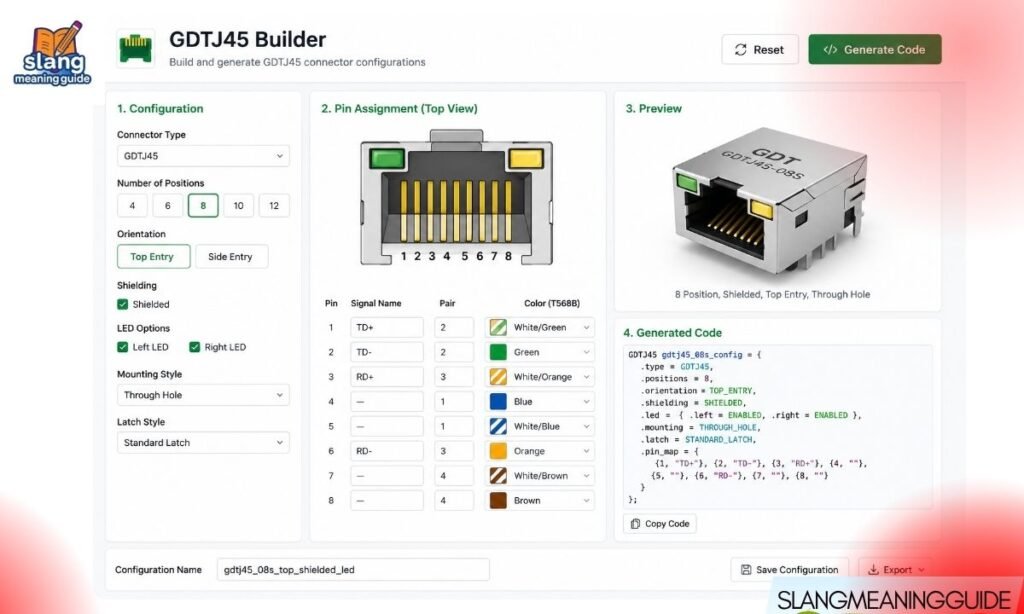
Dozens of websites describe GDTJ45 Builder in confident technical detail. They cite user numbers, list features, and publish troubleshooting guides. But search for an official website, a GitHub repo, or a real company behind it — and you find nothing. Here is everything you actually need to know.
What GDTJ45 Builder Claims to Be
Before getting into whether it is real, it helps to understand what these articles say about it. Across the SERP, GDTJ45 Builder is described as:
- A modular development platform that combines visual drag-and-drop building with custom code editing
- A tool that supports internal applications, dashboards, and workflow automation
- A platform with support for 28 programming languages
- A system with 2.8 million active users and 34% year-over-year growth
- Features including: real-time collaboration, a built-in code editor, syntax checker, integrated debugger, and sandbox testing environment
That sounds like a real product. The problem is that none of it checks out.
The Verdict: GDTJ45 Builder Is Not a Verified Software Product
Multiple independent sources have investigated this name and reached the same conclusion:
- No official company backs GDTJ45 Builder
- No product page exists on any verified software domain
- No GitHub repository or open-source project uses this name
- No listings appear on G2, Product Hunt, npm, PyPI, or any package manager
- No documentation, changelog, or security disclosure exists from a named developer
The term appears to have originated as AI-generated SEO content, starting in late 2025. Dozens of articles repeat similar claims with slightly different wording — a common pattern when multiple AI systems generate content around the same invented keyword without any real source material behind it.
How to Spot AI-Generated Fake Software Content
The GDTJ45 Builder articles follow a pattern that applies to other fabricated tools circulating in 2026. Here is what to look for:
- Inflated, specific-sounding statistics with no cited source (“2.8 million users,” “34% growth,” “94% syntax checker accuracy”)
- Identical feature lists across many unrelated websites
- No consistent company name — articles disagree on who built it or where it came from
- Vague download instructions that point to an “official portal” with no actual URL
- No third-party coverage — no developer blog posts, conference talks, Reddit threads, or Stack Overflow discussions
- No version history — real tools have changelogs; fake ones do not
If two or more of these red flags appear together, treat the tool as unverified before spending any more time on it.
Why This Matters More Than It Seems
It is tempting to dismiss this as harmless content noise. It is not:
- Developers waste research time evaluating tools that do not exist
- Procurement teams using AI-generated comparisons can recommend non-existent products to management
- Publishers who unknowingly write about fake tools accumulate low-quality content that Google penalizes over time
- Malicious actors can register domains using these AI-circulated names and distribute actual malware under a convincing-sounding product identity
If a tool named GDTJ45 Builder ever appears as a download prompt on your system, do not install it. Scan the file immediately with a trusted antivirus tool and do not run it on your primary machine.
The Verification Checklist for Any Developer Tool
Before evaluating any new software platform — especially one you found through a blog post rather than a peer recommendation — run through this checklist:
- Official domain: Does a real product website exist with a named company behind it?
- GitHub or repo: Is there an active public repository with commits, issues, and contributors?
- Package manager: Does it exist on npm, PyPI, Maven Central, or another registry?
- G2 or Product Hunt listing: Are there verified user reviews with named profiles?
- Independent coverage: Do developer blogs, forums, or conference talks mention it independently?
- Documentation: Is there a real docs site with technical depth, a changelog, and a version history?
- Download path: Is there a clear, verifiable download that does not route through a suspicious redirect?
If a tool fails more than two of these checks, it is not ready to evaluate — and may not be real at all.
What the Troubleshooting Articles Got Wrong
Many 2026 articles about GDTJ45 Builder publish detailed fix guides for problems like:
- Installation failures due to “corrupted files”
- Version mismatch errors in team collaboration
- Browser extension conflicts
- Performance issues with large codebases over 5,000 lines
- Permission errors on Windows requiring Administrator access
These guides sound helpful. But troubleshooting instructions for software that does not exist serve no one. Worse, they may give false confidence to users who believe they have installed a real tool and are now following fake fix steps. If you followed one of these guides and still cannot get the tool to work, that is because there is no functional software behind the instructions.
Real Alternatives That Actually Exist
If you searched for GDTJ45 Builder because you need a real modular development platform, the use case is legitimate. Several verified tools do exactly what GDTJ45 is claimed to do:
For internal apps and dashboards:
- Retool (retool.com) — drag-and-drop internal tool builder with JavaScript support, database connections, and real team collaboration; free tier available
- Appsmith (appsmith.com) — open-source with a public GitHub repo, self-hosting option, and active community
- Grafana — verified open-source dashboard and analytics platform with extensive documentation
While For visual + code development:
- Builder.io — component-based visual editing with actual editable code output
- Webflow — visual website building with access to HTML, CSS, and JavaScript
- Bubble — no-code platform with a public roadmap, user forums, and documented extensions
For general development environments:
- VS Code — free, open-source, and the most widely used code editor in the world
- JetBrains IDEs — professional development environments with verified company backing
- GitHub / GitLab — full development workflow platforms with collaboration, version control, and CI/CD
Every tool in this list has a company behind it, a real product page, an active repository or documentation site, and verifiable user reviews.
What “Modular Development Platform” Actually Means
Since GDTJ45 Builder is described as a modular development platform, it helps to understand what that term means — because the underlying concept is real, even if this specific product is not.
A genuine modular development platform typically offers:
- Reusable components or logic blocks that can be shared across projects
- Visual and code layers — a drag-and-drop interface that also exposes the underlying code
- Workflow automation — triggers, event handling, and integration with external services
- Real-time collaboration — multiple developers working on the same project with version control
- Multi-environment deployment — building once and deploying to web, desktop, or mobile
These are real capabilities available in real tools like Retool, Builder.io, and Appsmith. The claims attached to GDTJ45 Builder are not imaginary — they describe a real category of software. The name GDTJ45 is what does not exist.
Why AI-Generated Fake Tools Keep Appearing
Understanding why this happens helps you stay alert to the same pattern in other keywords:
- SEO economics: A keyword with search volume and low competition attracts AI content farms that generate articles to capture that traffic
- Fabricated identifiers: Random alphanumeric names like “GDTJ45” are easy to generate and hard to fact-check quickly
- Confidence of tone: AI-generated content often sounds authoritative because it applies real technical vocabulary to a fake subject
- Cross-pollination: Once a few articles appear, others reference them, creating the illusion of a verified product through circular citation
- No gatekeeping: There is no mechanism that prevents any website from publishing confident technical guides about non-existent software
The best defense is the verification checklist above. Apply it before spending any time evaluating a tool you found through a keyword-heavy blog post with no named author or company.
Signs You Are Reading AI-Generated Software Content
Beyond the GDTJ45 case, here is how to recognize fabricated technical articles in general:
- The article uses very specific numbers (percentages, user counts, speed improvements) with no links to a source
- The “company” is described vaguely or not at all
- Multiple unrelated websites publish almost identical content about the same tool
- The article focuses heavily on troubleshooting a product that has no real download
- Comments and reviews are either absent or clearly generic
- The author has no verifiable profile or prior technical publishing history
How This Affects SEO and Content Quality
For publishers and content teams, the GDTJ45 pattern is a warning:
- Publishing AI-generated content about unverified tools signals low editorial standards to Google’s quality systems
- Fake software articles attract zero qualified traffic — users who discover the tool is not real bounce immediately
- Linking to or citing unverified software names creates trust issues for your domain over time
- Content that cannot be fact-checked or updated as a product evolves has no long-term SEO value
The higher-value play is exactly what this article does: address the question directly, verify the facts, and point readers toward tools that are real.
FAQ
Is GDTJ45 Builder a real software product?
No — no verified company, open-source project, or official product page confirms its existence.
Who makes GDTJ45 Builder?
No known company or individual developer is behind it; the name appears to originate from AI-generated SEO content.
Why do so many articles claim it has millions of users?
The user statistics appear across multiple AI-generated articles with no cited source — a hallmark of fabricated content recycled by different publishers.
What should I do if GDTJ45 Builder appears as a download prompt?
Do not install it; scan the file with trusted antivirus software immediately and report the source.
What are real, verified alternatives to GDTJ45 Builder?
Retool and Appsmith for internal tools, Builder.io and Webflow for visual development, and VS Code or JetBrains for general coding environments.
Final Words
The GDTJ45 Builder situation is a useful case study in how AI-generated content spreads. A convincing name, a real use case, and confident technical language can make a fake product look real enough to waste your research time. The fix is simple: verify before you evaluate, and check the registry before you read the feature list.